Navigating settings
The Settings area is where you can manage your account security, company configuration, users, licences and other platform features.
The options you see in Settings may vary depending on your user permissions, licence type and enabled features.
How to access Settings
Open Settings from within Fusion Signage.
You'll find the available settings grouped into different sections in the menu on the left-hand side.
Security
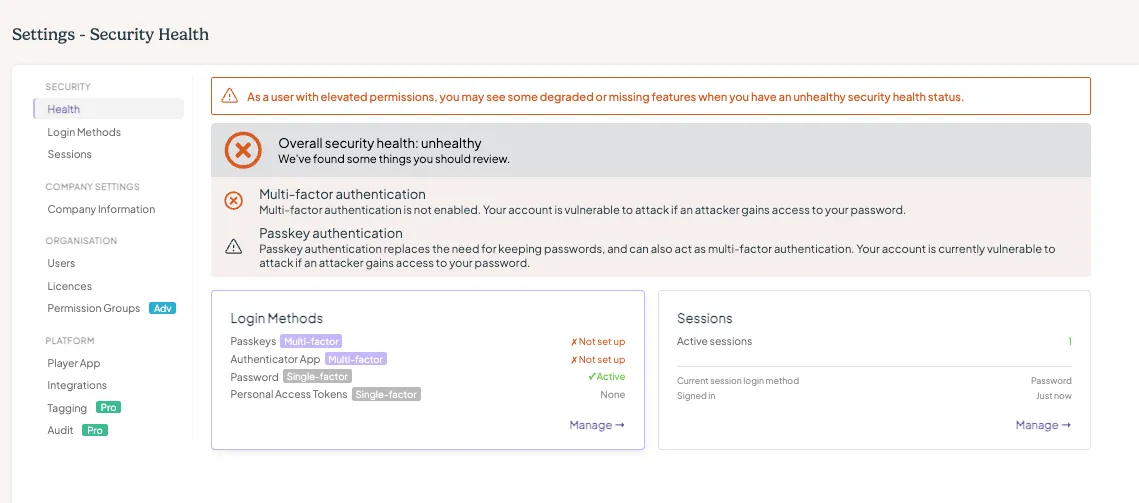
The Security section gives you control over your account security and how you access Fusion Signage.
Health
Security Health gives you a quick overview of your current security setup.
From here, you can check things like:
- Multi-factor authentication
- Passkey authentication
- SSO configuration
- Active sessions
- Login methods
- Company security settings
Fusion Signage will also highlight anything that may need your attention.
Login Methods
Manage the different ways you can sign in to your Fusion Signage account, including:
- Passkeys
- Authenticator apps
- Passwords
- Personal Access Tokens
Depending on your company's security configuration, some login methods may be unavailable or superseded by another method.
Sessions
View and manage the sessions currently signed in to your Fusion Signage account.
This is handy if you'd like to review where your account is logged in or remove an existing session.
Company Settings
These settings relate to the company you're currently viewing.
Company Information
View and manage information specific to your company. This is where you can edit your company's name, address, website and contact user.
Security Configuration
Manage security requirements at a company level, including authentication and access requirements available to your organisation.
Organisation
The Organisation section is where you can manage the people, companies and licences within your Fusion Signage network.
Users
View and manage users who have access to your company.
Companies
View and manage the companies you have access to.
If you are an integrator and manage multiple companies or customer accounts, this is where you'll find them.
Licences
View and manage the licences associated with your companies and screens.
Permission Groups
Create and manage permission groups to control what different users can access and manage within Fusion Signage.
This is only be available for Advanced or Pro licence holders.
Platform
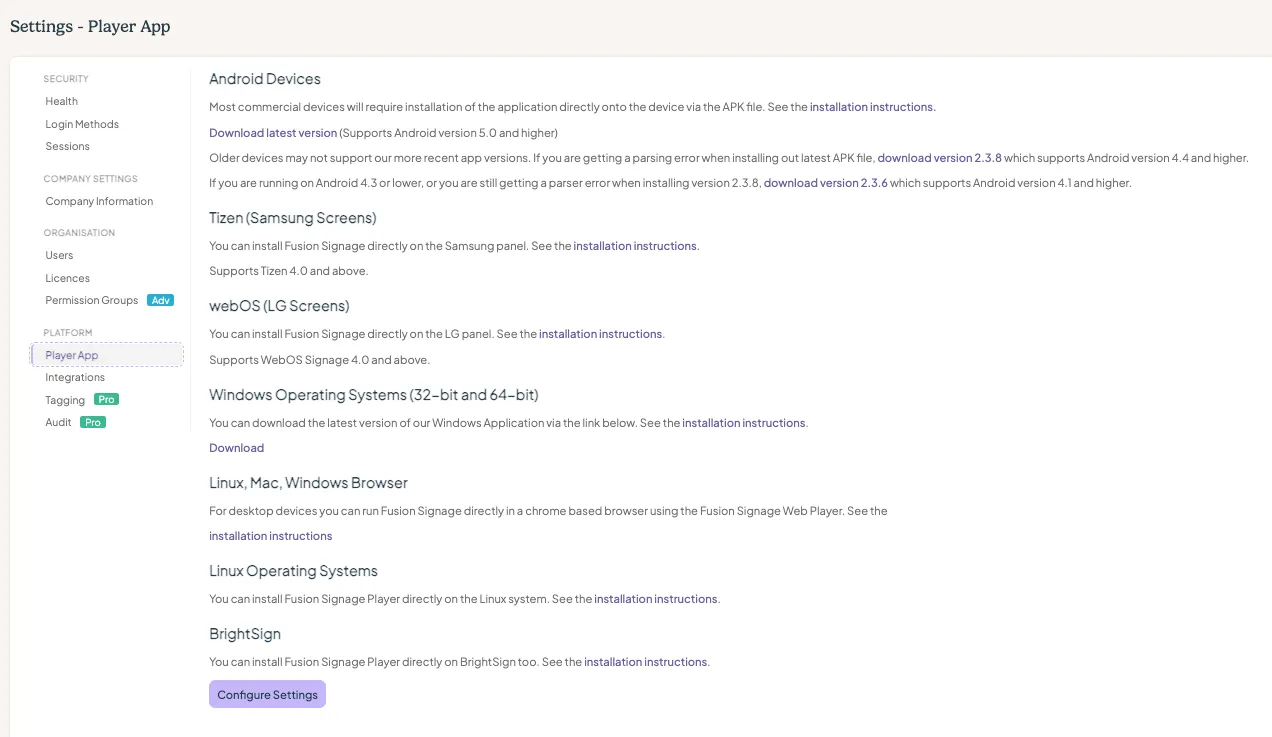
The Platform section contains settings relating to Fusion Signage features and integrations.
Player App
Access settings and information relating to the Fusion Signage Player App.
Integrations
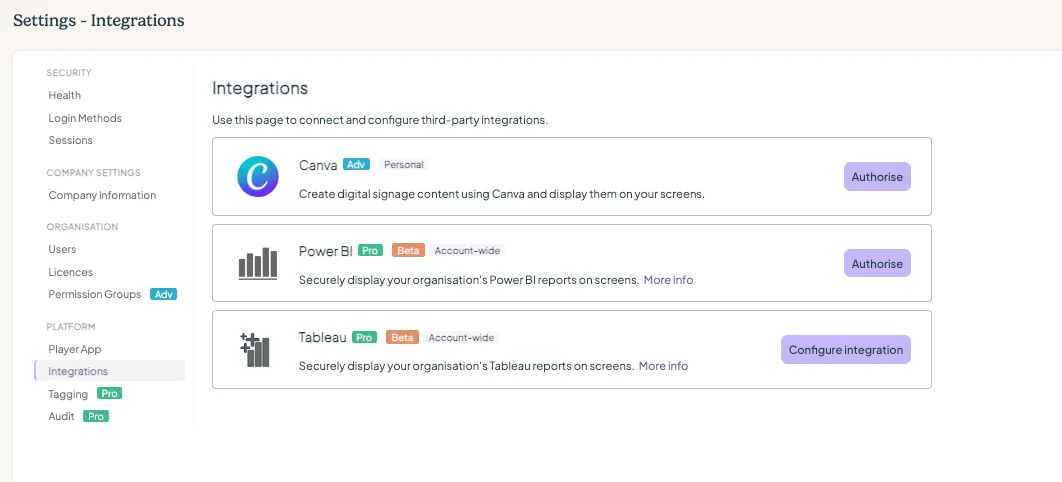
Manage integrations between Fusion Signage and other platforms or services. Please note the integrations will vary depending on what is available to you.
Tagging
Manage tagging functionality used throughout your Fusion Signage account.
Please note: tagging is a Pro feature.
Audit
Access audit information to help track activity within your account.
Please note: audit is a Pro feature.
Can't see a setting?
Don't worry if your Settings menu looks slightly different!
The options available to you depend on your permissions, company configuration, licence and enabled Fusion Signage features.
Looking for something else?
We can’t wait to hear about it. Reach out to our sunshiney support and we'll be in touch in a flash.