Setting up your location tiers
Tiers and locations
It is important to understand some terminology when it comes to locations: tiers versus locations.

Tiers
Tiers form the hierarchy of your locations structure – usually based on geographic factors (such as country, state, suburb etc.) but could be based on your business structure (brand, business etc.). You create your tiers so it’s entirely up to you how you use them.
Note: you can only add users to a tier, and can set different permissions to provide them access to all tiers below.
Example tier setup

Locations
A location is where your screens will be installed. They are identified by the building icon next to the name. This could be a store, an office, a building, or any other place that you want to provide users separate access to. One example – you have stores located in different states around the country, the location would be called a store.
You can only have one location, and it can have both screens and users assigned to them.
Example location

Adding location tiers
Navigate to Settings → Locations → Location Tiers (selected by default)
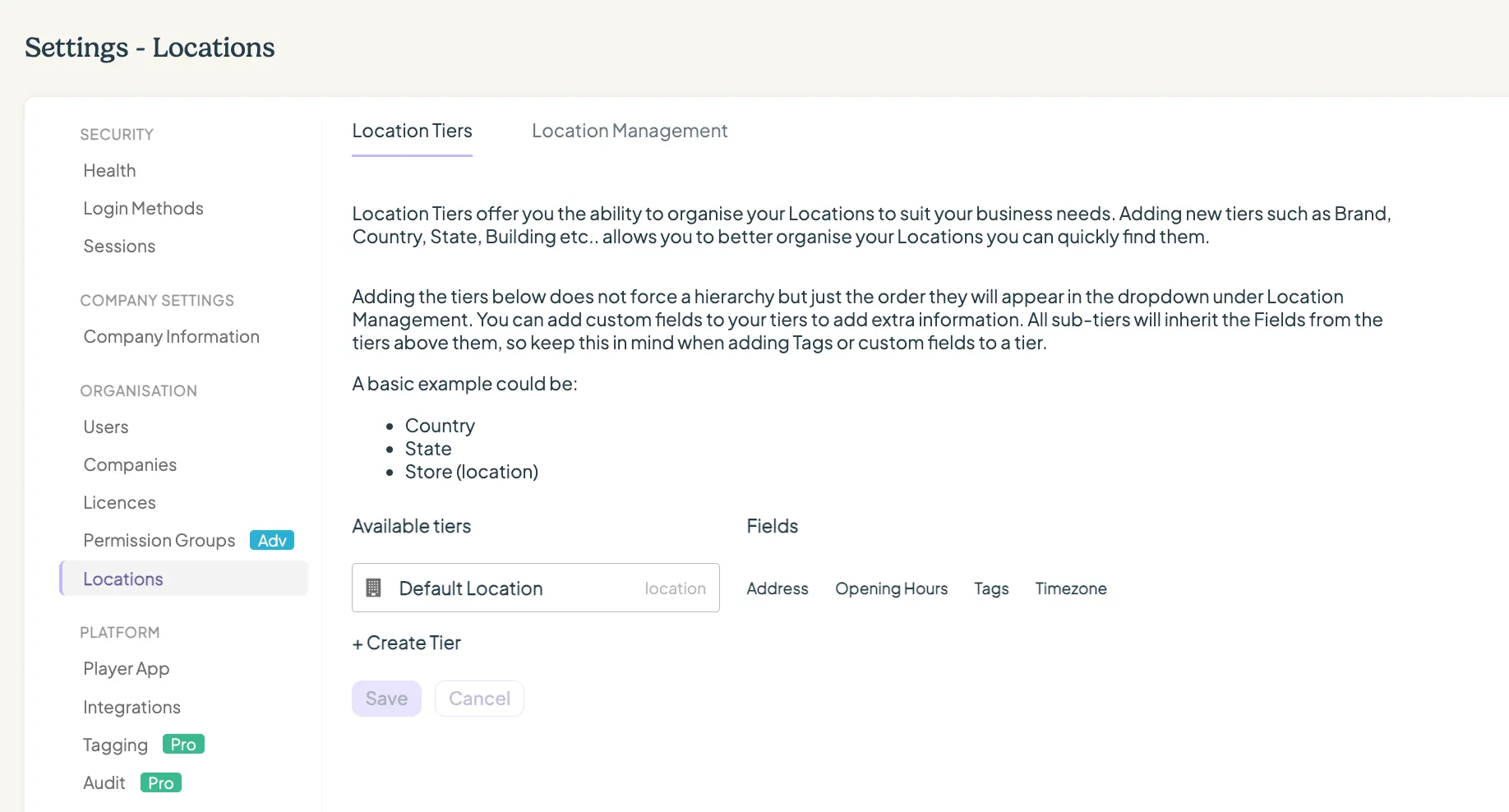
- Click on + Create Tier
- Enter a Tier name
- Add or create any fields you would like to include on the tier. This will allow you to add additional information relevant to that tier to help your users.
When adding a custom field, you can select between that field being a string (text) or a number.
Locations and tagging
Click here for more information about tagging.
You can add tags to locations and tiers and any screens you add to those locations will inherit any tags up that hierarchy. This will help you ensure consistency and simplify the adding of tags to multiple screens.
Looking for something else?
We can’t wait to hear about it. Reach out to our sunshiney support and we'll be in touch in a flash.