Screenshots
4 min
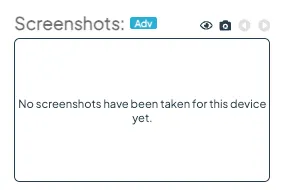
The screenshot feature allows you to capture and view an image of what is displayed on your screen at the exact moment the screenshot is taken. This handy tool provides valuable insight into your deployed content – helping you verify everything is running smoothly and as intended.
Requirements
- Available for Advanced and Pro Licences.
- Supported devices and minimum software versions:
- Android: 2.5.2
- Tizen: 2.5.0
- Web OS: 2.4.0
- BrightSign: 2.3.4
- Windows: 2.5.0
Please note:
- Screenshots are not supported on the Fusion Signage Web Player (PWA).
- If attempted on unsupported versions, an error message will be displayed.
- Your device must be online, otherwise you'll see a 'did not respond' error message.
How to capture a screenshot
- Navigate to the Deploy section in the Fusion Signage platform.
- Click on the screen name for the device you want to capture.
- In the pop-up window, click the camera icon located in the top-right corner.
- Wait up to 4 minutes for the screenshot to generate.
Looking for something else?
We can’t wait to hear about it. Reach out to our sunshiney support and we'll be in touch in a flash.