After Locations is set up
Changes to the Deploy section
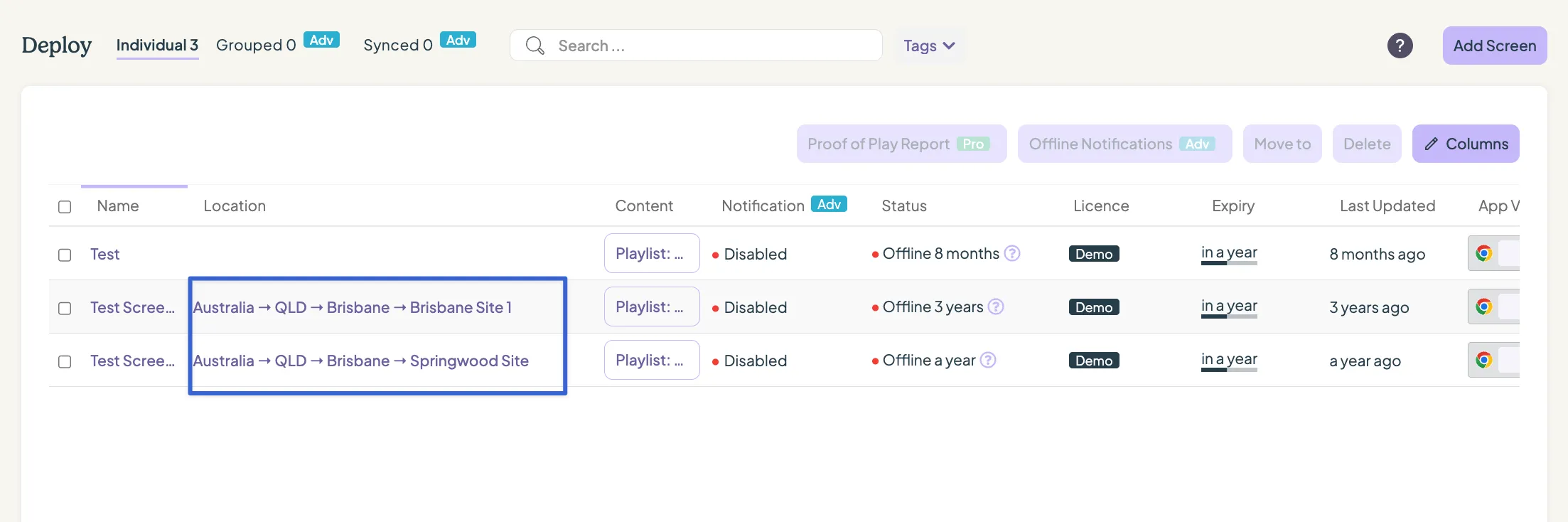
In the Deploy section, a new column has been introduced to indicate the location associated with each screen. Selecting the location will navigate the user to the corresponding Location Management page within the Settings module. Access to screens within the Deploy section is role-based – management users can see all screens across the account, whereas standard users are limited to viewing screens assigned to their specific location.
Changes to the Manage section
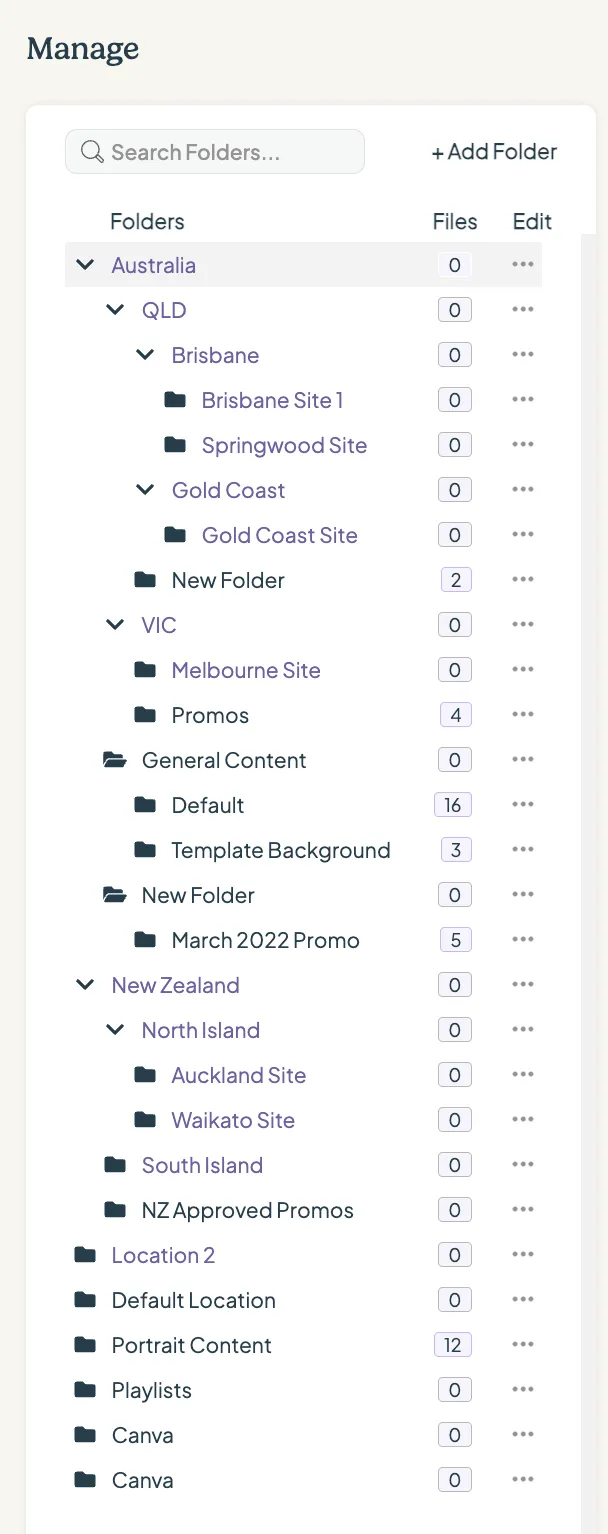
In the Manage section, the folder structure now mirrors the location hierarchy defined by the tiers. Management users have full visibility into the complete folder structure across all locations, while standard users are restricted to viewing only the folders corresponding to their assigned location and permission group. This structure ensures content remains segregated and organised according to location.

Looking for something else?
We can’t wait to hear about it. Reach out to our sunshiney support and we'll be in touch in a flash.