Screen management
4 min
From the Deploy section of your account you can manage and control all screens and media players across your network.
Managing screens
Search for a screen Use the search bar at the top to quickly locate a specific screen. If you have many screens, you can scroll through the list or show more rows.
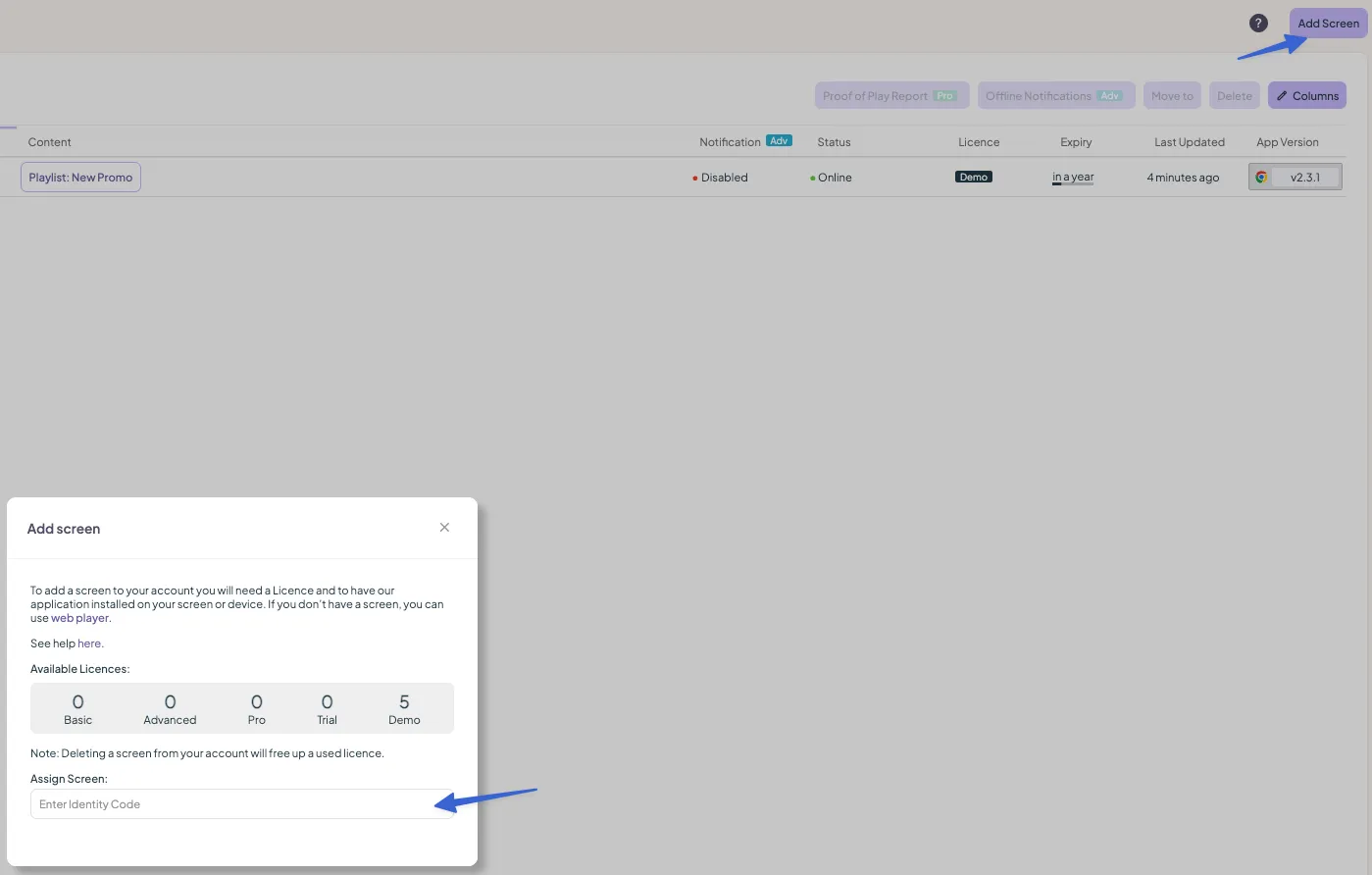
Add a screen Click Add Screen in the top corner. After installing the Fusion Signage app and connecting to the internet, your device will generate a 5-digit identifier.
- Enter this identifier, give your screen a memorable name ('Counter' or 'Store Window'), choose an available licence, and click Add Screens.
- For a detailed guide, click here.
Other options – move, add, delete
- To move a screen, select its checkbox and choose to move it to a group or individual list.
- Use the Add or Delete buttons as needed.
Take care: do not delete screens unless you have permission, as this will remove the device from your account.
Looking for something else?
We can’t wait to hear about it. Reach out to our sunshiney support and we'll be in touch in a flash.