Screen status
4 min
To check your screen status
- Log into your Fusion Signage portal.
- Navigate to the Deploy section.
- Find the Status column, and click Offline or Online next to the relevant screen.
- A pop-up will display a timeline showing when the device was online (green) and offline (red).
Please note: if your screen appears as offline, it’s usually due to the device being turned off or disconnected from the internet. Here are some troubleshooting steps.
Example graphs
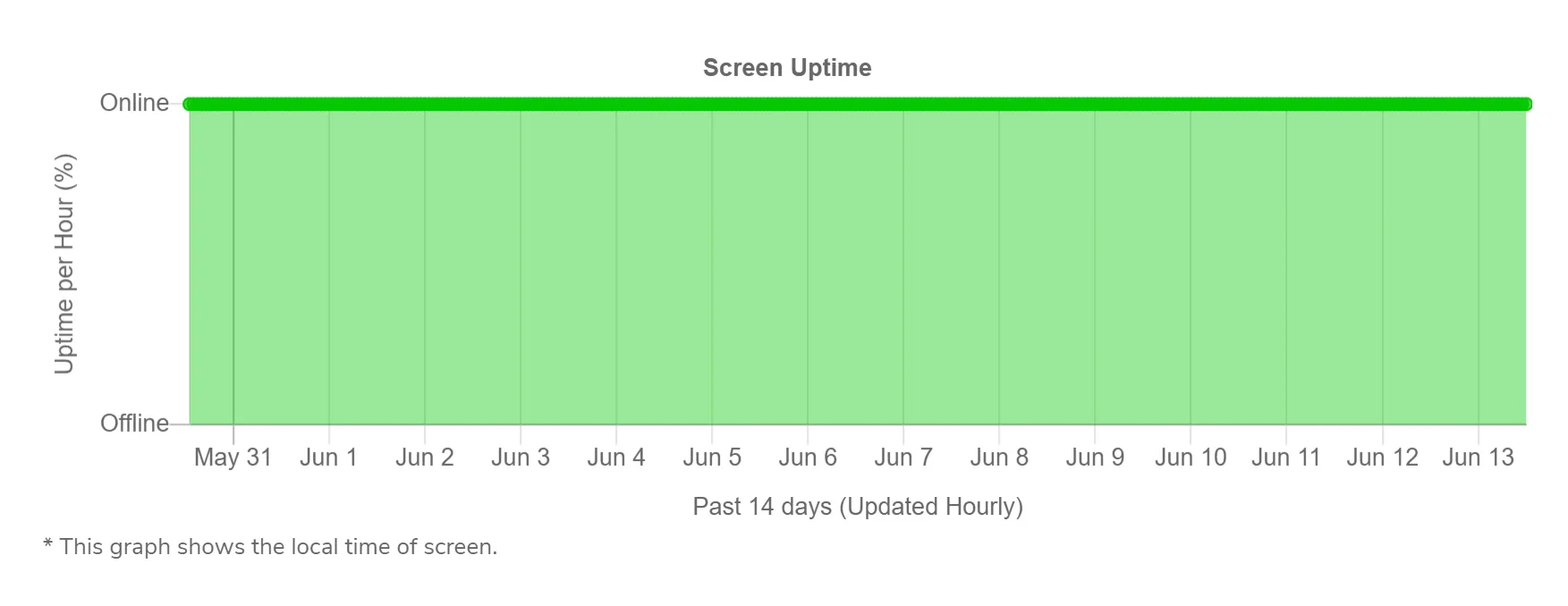
1. Stable connection
- The graph shows consistent online status, which indicates a stable internet connection. (This is what you want to see).
2. Scheduled on / off daily
- The device is set to turn on and off at scheduled times.
- The graph shows offline during off-hours (like at night) and online (during day).
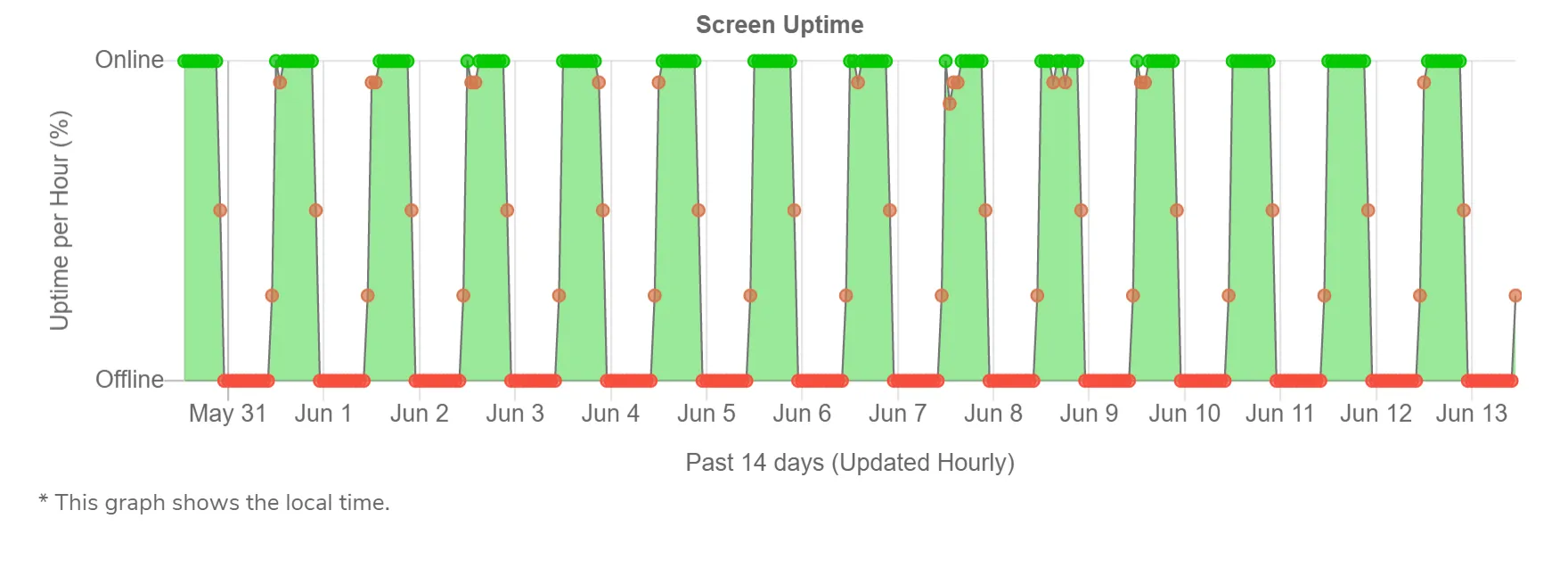
Handy hint: any new content added when offline will automatically download once the device is back online in the morning.
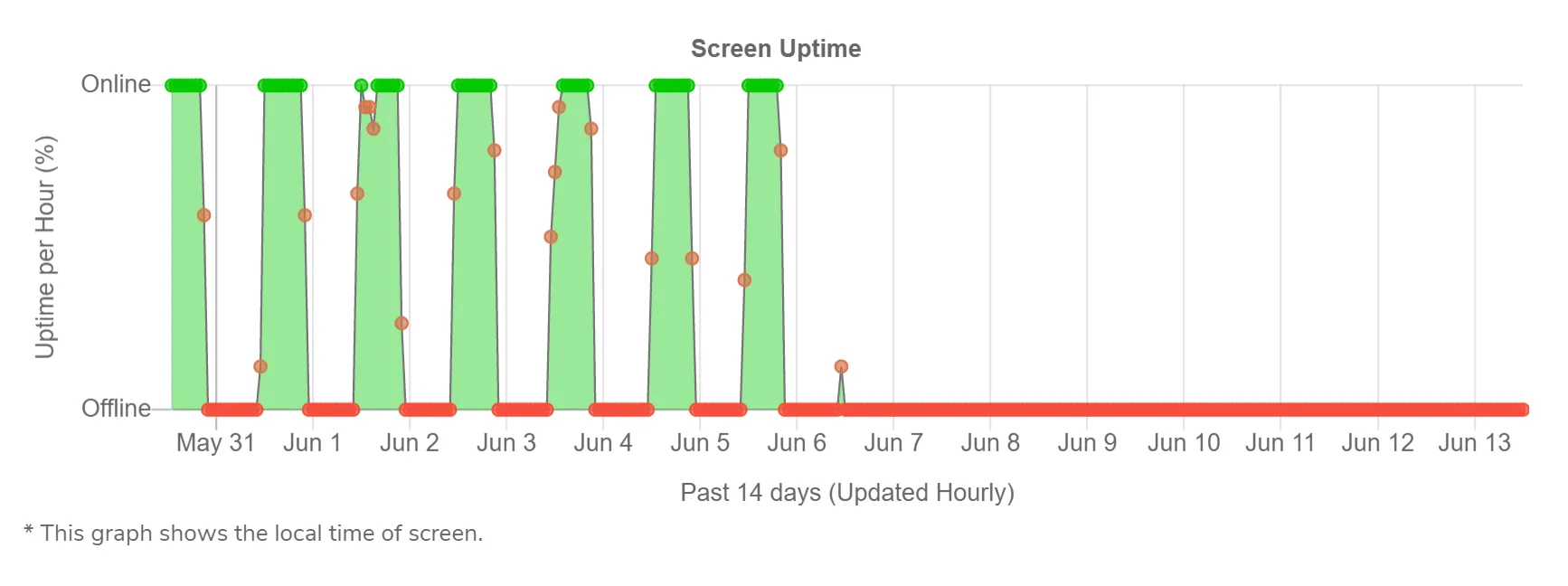
3. Screen offline during scheduled hours
- The device has gone offline unexpectedly and hasn’t come back online (with an internet issue evident around 06th June in this example).
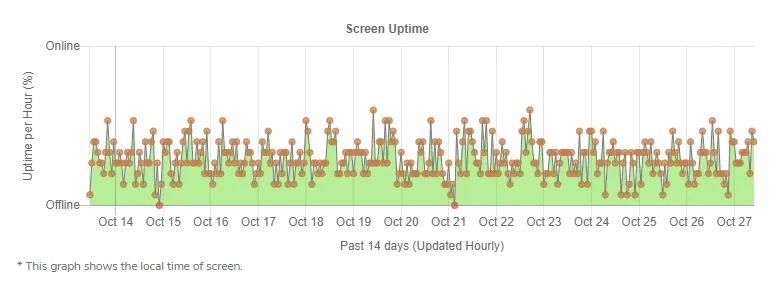
4. Poor WiFi connection
- The graph shows frequent dropouts or spikes in online status.
- This indicates an unstable WiFi connection – possibly due to distance from the router or many active devices in the area.
Looking for something else?
We can’t wait to hear about it. Reach out to our sunshiney support and we'll be in touch in a flash.