How to create a sync group
8 min
- Navigate to Deploy → Synced.
- Click +Add New Sync Group.
- Enter a descriptive name for your group.
- Select your synchronisation server:
- Use Fusion Signage Servers (recommended): cloud-based servers in Sydney, Australia.
- Host your own: use one of your devices as the sync server (see setup below).
- Click Save and Close.
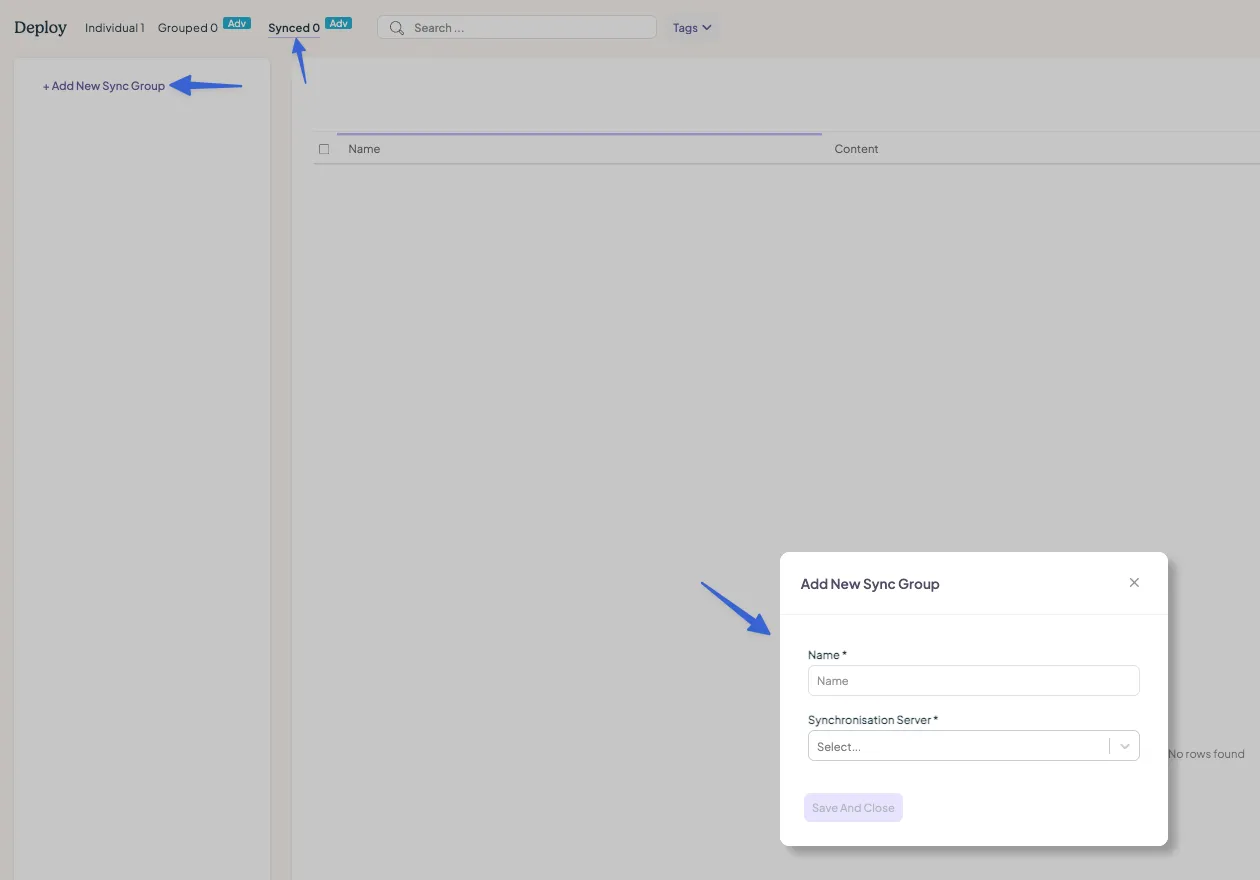
Synchronisation server options
Use Fusion Signage servers (recommended)
- This utilises cloud servers that keep all devices in sync. This is easy to set up, but requires a stable internet connection and may have latency issues if devices are far from the servers or using Wi-Fi.
- If internet connectivity drops, devices will lose sync until reconnected.
Host your own server (use a local device as the synchronisation server)
- On your device, go to Settings → Content.
- Enable Synchronisation Server and toggle it on.
- Find the device’s IP address under Network Settings (format: 192.168.X.X).
- Record this IP and enter it as the Server URL when creating your sync group.
Note: make sure you do not include any other characters (such as /). The IP should only consist of numbers and "."
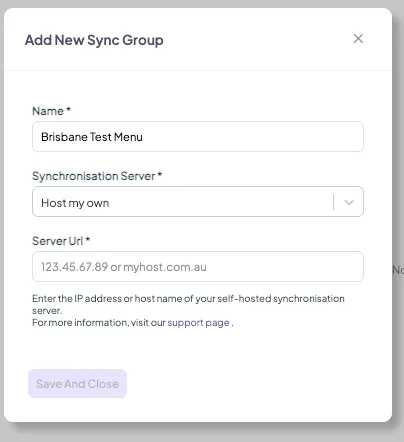
Adding screens to a sync group
- Ensure your screens are added to your account.
- Navigate to the Individual tab.
- Select the screens you want to synchronise by checking their boxes.
- Click Move To in the top right and choose your sync group.
- Click Submit.
Assigning content to a sync group
- Go to Deploy → Synced.
- Find your sync group – you'll see a list of screens assigned to it.
- Use the Content dropdown to select a playlist for each screen.
- Once the screens download the playlist, they will start playing content in sync immediately.
Editing a sync group
- In Deploy → Synced, locate your sync group.
- Click the ... button next to it and select Rename or Edit.
- In Edit, you can change the group name or switch the sync server.
Deleting a sync group
- In Deploy → Synced, find your group.
- Click the ... menu and choose Delete.
Note: if screens remain in the group, they’ll revert to the Individual tab and continue playing their current playlist but will no longer be synchronised.
Looking for something else?
We can’t wait to hear about it. Reach out to our sunshiney support and we'll be in touch in a flash.