Updating your company details
Keeping your account information up to date helps ensure important Fusion Signage notifications reach the right people.
Who can update these details?
Only users with Management access can update account and company information.
If you’re a Standard user and need something changed, please contact a Management user on your account.
Updating your account details
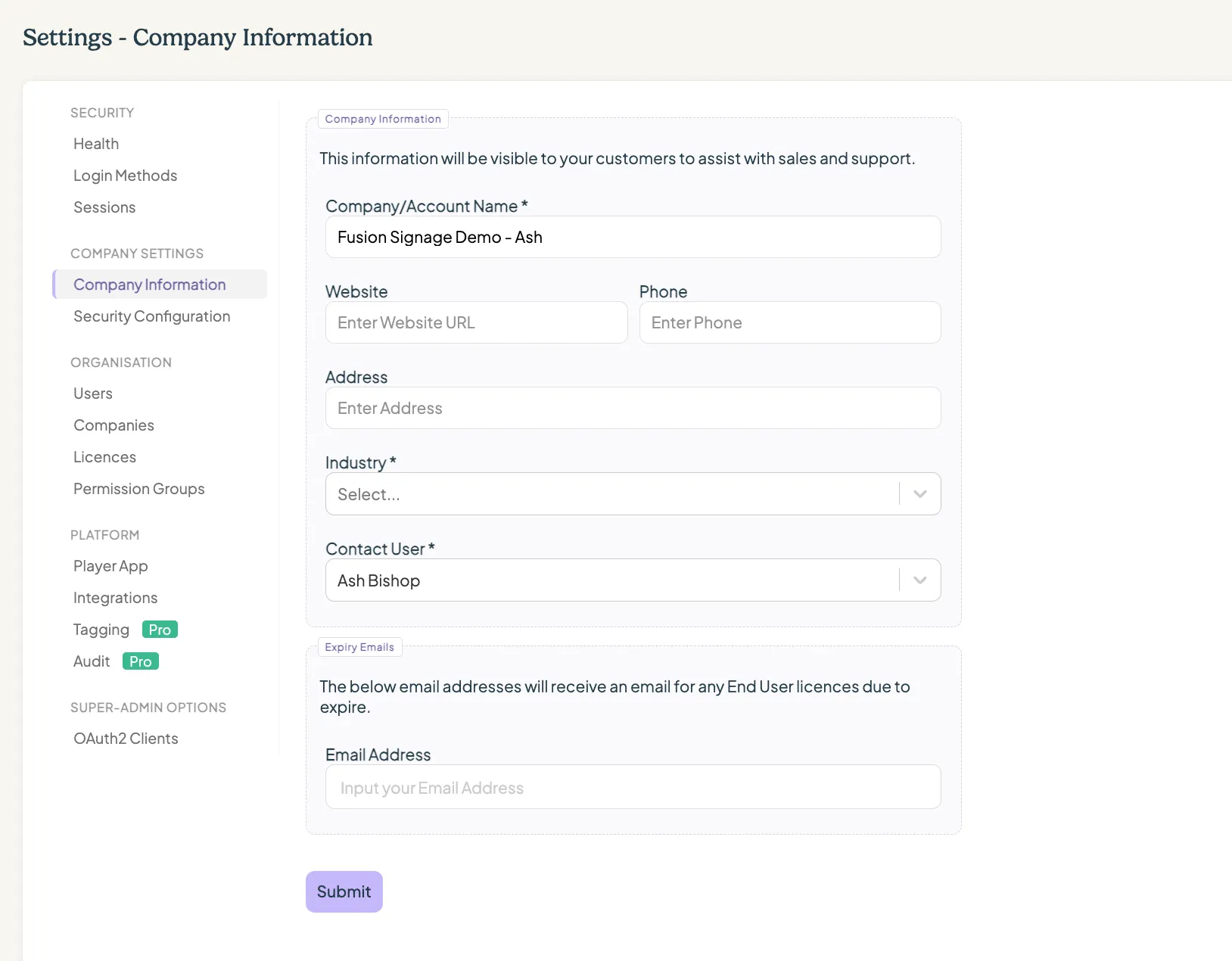
To review or update your account details:
- Log in to the Fusion Signage portal.
- Select Settings from the main menu.
- Navigate to Company Settings → Company Details.
- Review the information currently listed.
- Make the required changes.
- Select Submit.
Your account details contain the contact user information Fusion Signage uses for important account communications.
We recommend checking that the contact user is someone who:
- Is currently part of your organisation
- Monitors their email regularly
- Is authorised to receive account and licence information
- Can direct enquiries to the appropriate person when needed
Licence expiry notifications are sent to the nominated contact user, management users and any additional emails listed under Expiry Emails before licences expire, so keeping this information current is particularly important.
When should I update these details?
We recommend reviewing your account and company information whenever:
- Your primary contact changes
- Someone responsible for Fusion Signage leaves the organisation
- Your company name changes
- Your contact information changes
- Responsibility for licence renewals moves to someone else
It’s also a good idea to check these details as part of a regular account review.
Looking for something else?
We can’t wait to hear about it. Reach out to our sunshiney support and we'll be in touch in a flash.