Designer and Templates
Please note: the Designer and Templates are only available with an Advanced or Pro Licence.
The Designer and Templates
These tools are here so you can make head-turning, eye-catching content with ease.
In the Design section, you'll see two tabs at the top.
My Templates - your personal storage area for any saved templates, and where you can create your own designs from scratch
Browse Templates - access hundreds of professionally-made designs. Edit to make them your own. Perfect for businesses without in-house designers.
Creating your first design
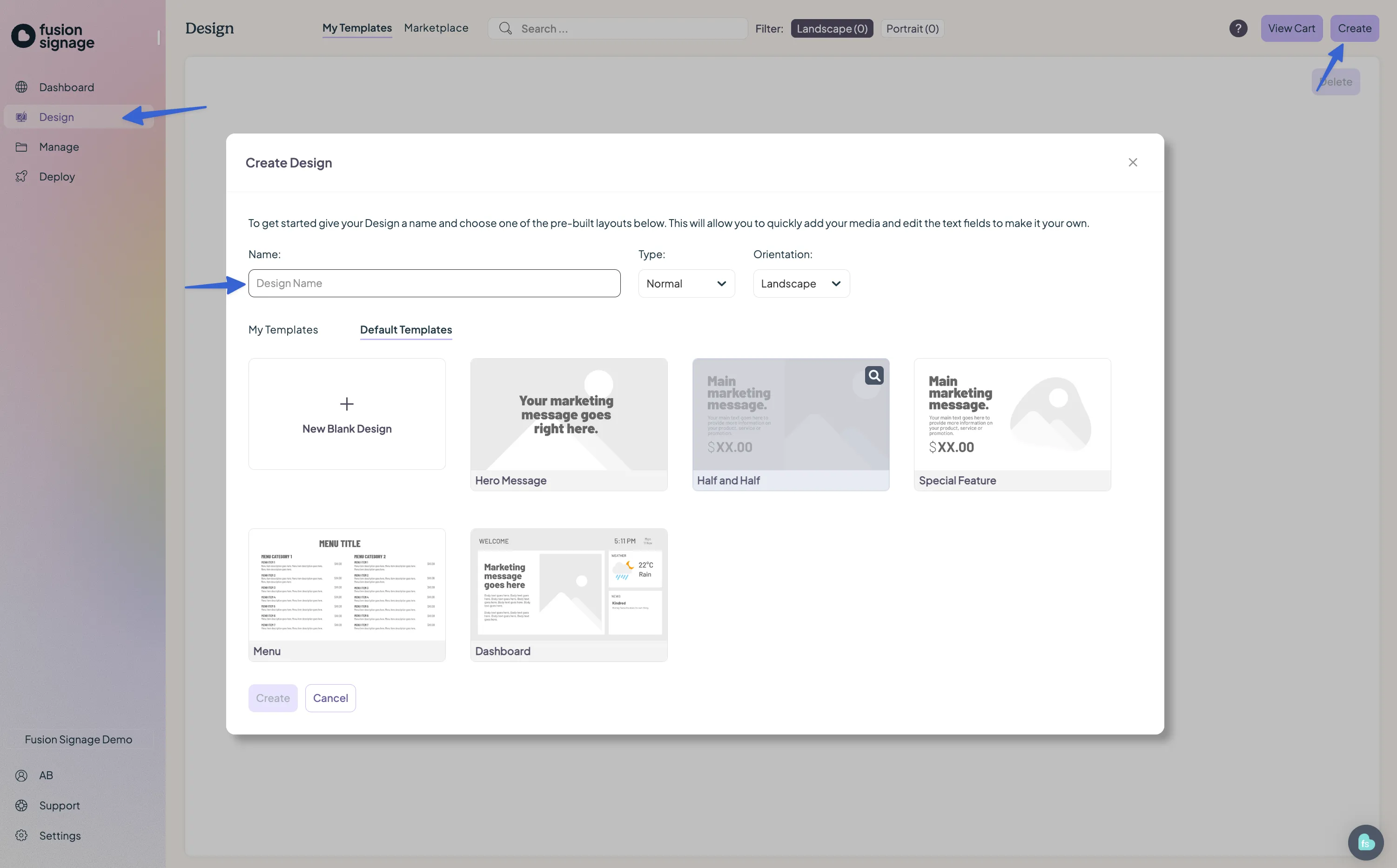
- Click the Create button, then select New Design.
- Give your design a name.
- Leave the type as normal for now, and choose the orientation that matches your screen.
Next, you'll see two tabs.
- My Templates: use this to select and customise your saved templates.
- Default Templates: these are basic layouts to help you get started quickly.
Choose a template, then click Create at the bottom of the screen. You’ll be taken to The Designer (where creative magic happens).
Inside the Designer
Top of the screen
- Edit your design name.
- Access your saved folders once your design is saved.
Left panel
- Add design elements.
- Add dynamic widgets – like weather, time, news, text tickers (to name only a few).
Background
- Set a solid colour, image, or video.
Layers section (bottom)
- Find, lock, or reorder objects on the canvas.
Tools next to the canvas
- Adjust, resize, or rotate objects seamlessly.
Handy hint: hold Control (or command on Mac) to select multiple items at once.
On the canvas
- Click and drag to reposition objects.
- Use handles to scale or rotate.
- Double-click text objects to edit content.
- Use the top menu for editing options.
Adding images
- Upload your own or browse over 3 million free images from Unsplash.
- Choose how images fit within objects using the mode options.
- Contain = keeps proportions
- Cover = crops to fill
Saving your design
- Click Save to keep your current work.
- Use Save As to give it a new name or location.
- Save as a template to add it to the My Templates library for future use.
- Once saved, you can add your design to a playlist or revisit it later from the Manage section.
Important note: any changes you make to a design that is already playing in any playlist will go live as soon as you click Save. Be sure to double-check before saving if you're making adjustments to a live display.
Looking for something else?
We can’t wait to hear about it. Reach out to our sunshiney support and we'll be in touch in a flash.